RCM MAXIMO Interface
RCM MAXIMO Interface
Download Availability Workbench and connect to your MAXIMO® data.
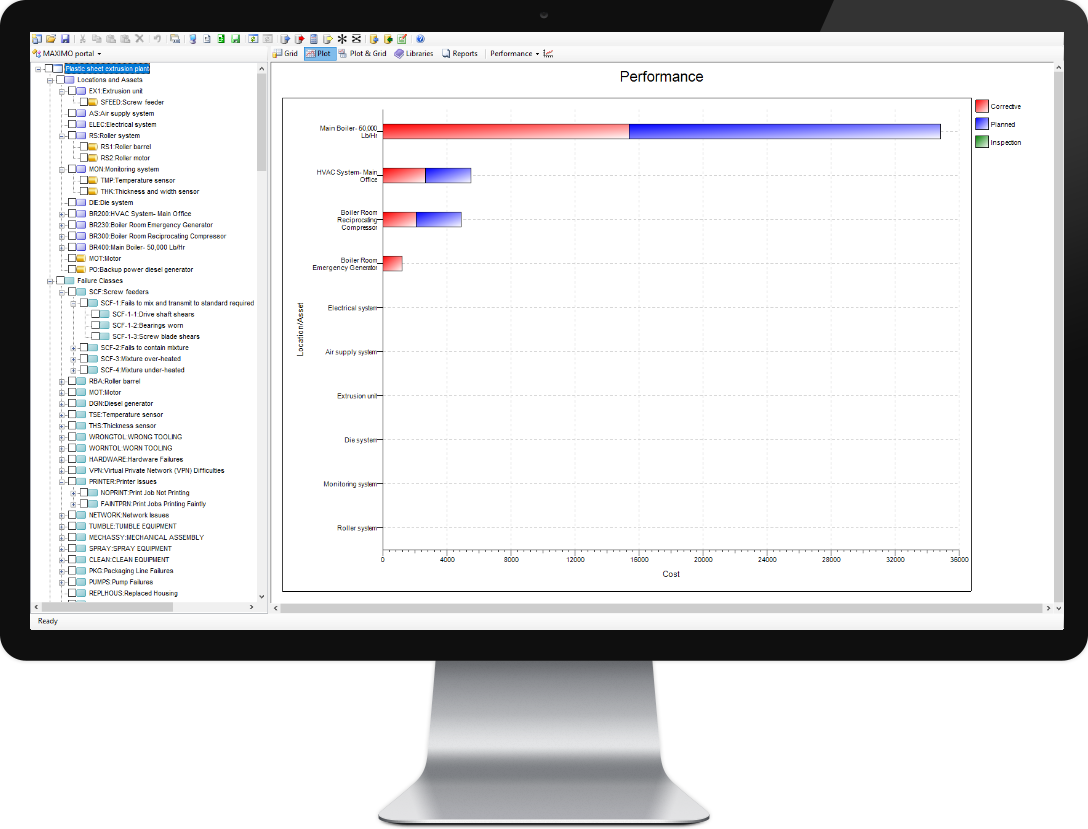
Capabilities at a glance
- Analyze reliability data from your MAXIMO® system
- Visualize performance indicators in plots and reports
- Identify critical equipments and bad performers
- Download existing job plans and failure data
- Optimize maintenance plans in the RCM module
- Upload new or modified plans back into MAXIMO®
Our software has been in continuous development since the 1980s and is the recognized standard for safety and reliability professionals.
Download and Analyze your MAXIMO® Data
Availability Workbench now allows you to download and analyze MAXIMO® work orders providing real failure data for use in your RCM optimization. Once you’ve optimized your maintenance plans you can upload these straight to MAXIMO®. Read More…
Contact Sales | Download Free Trial
The Ready for IBM Technology mark and the trademarks contained therein are trademarks of IBM Corp. MAXIMO is a registered trademark of IBM
Why choose Isograph?
Specialist expertise
Our software has been in continuous development since 1986, with upgrades and features driven by users and industry standards.
Support for your team
Our support engineers are based in the United Kingdom and United States.
Training and guidance
Explore practical training courses to help your team get started with Isograph software.
Other modules in Availability Workbench
Take the next step
Find the right software for your team
Talk to our specialists about your requirements, licensing and evaluating the software.