Help me choose: cloud or desktop FaultTree
HELP ME CHOOSE · FAULT TREE ANALYSIS
FaultTree in the cloud or on your desktop?
Choose the way of working that fits your team. Compare Reliability Workbench FaultTree+ with cloud-based FaultTree+ on the PeakAvenue eQMS platform, then explore the right solution for your projects.
Start with where your data needs to live, how your engineers work and who manages your software.
Two ways to work. A clear choice for your team.
Both routes support your fault tree analysis work. The practical choice starts with deployment, access and project requirements. If browser access and distributed working are priorities, start with cloud FaultTree. If local infrastructure and control over software versions are essential, explore the desktop solution.
CLOUD · PEAKAVENUE eQMS
Bring your analysis into the browser.
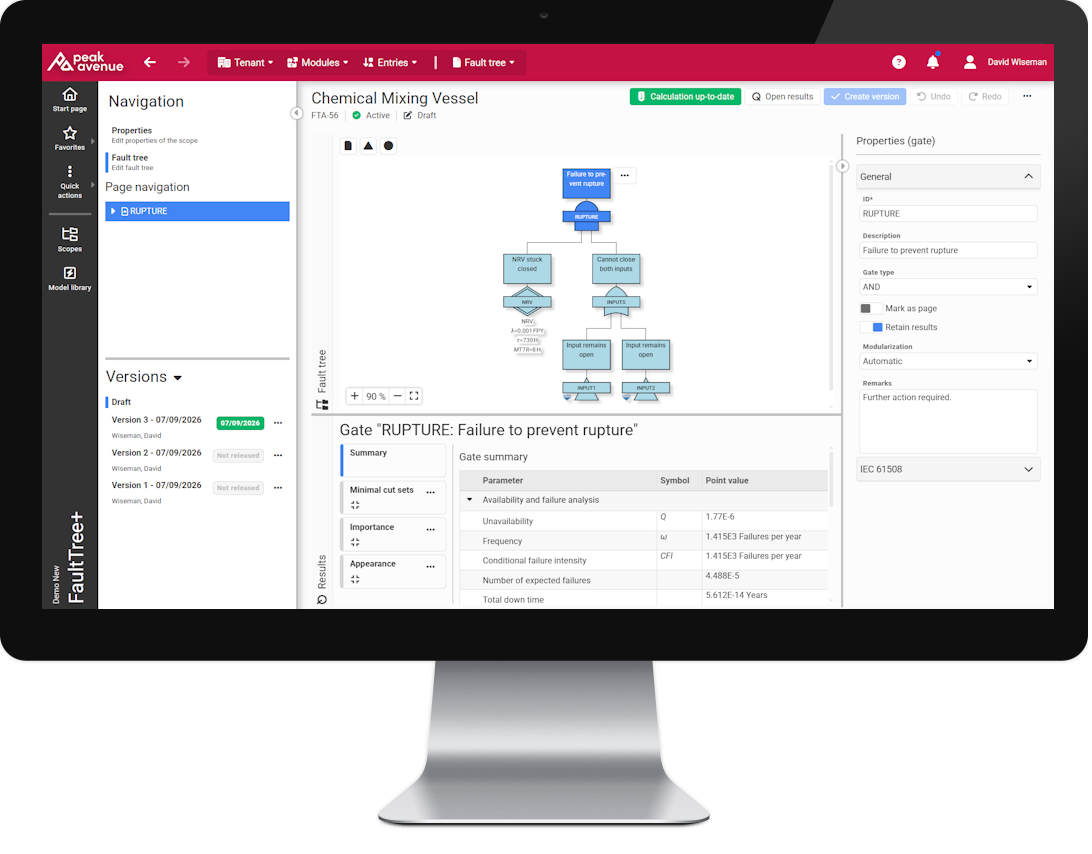
Explore cloud FaultTree+ for teams that want central project access across offices and remote locations.
- Access the application through a supported browser with an internet connection.
- Make projects available to authorised users in a hosted environment.
- Reduce local installation and application upgrade work.
- Work within the broader PeakAvenue engineering and quality platform.
DESKTOP · RELIABILITY WORKBENCH
Keep analysis within your environment.
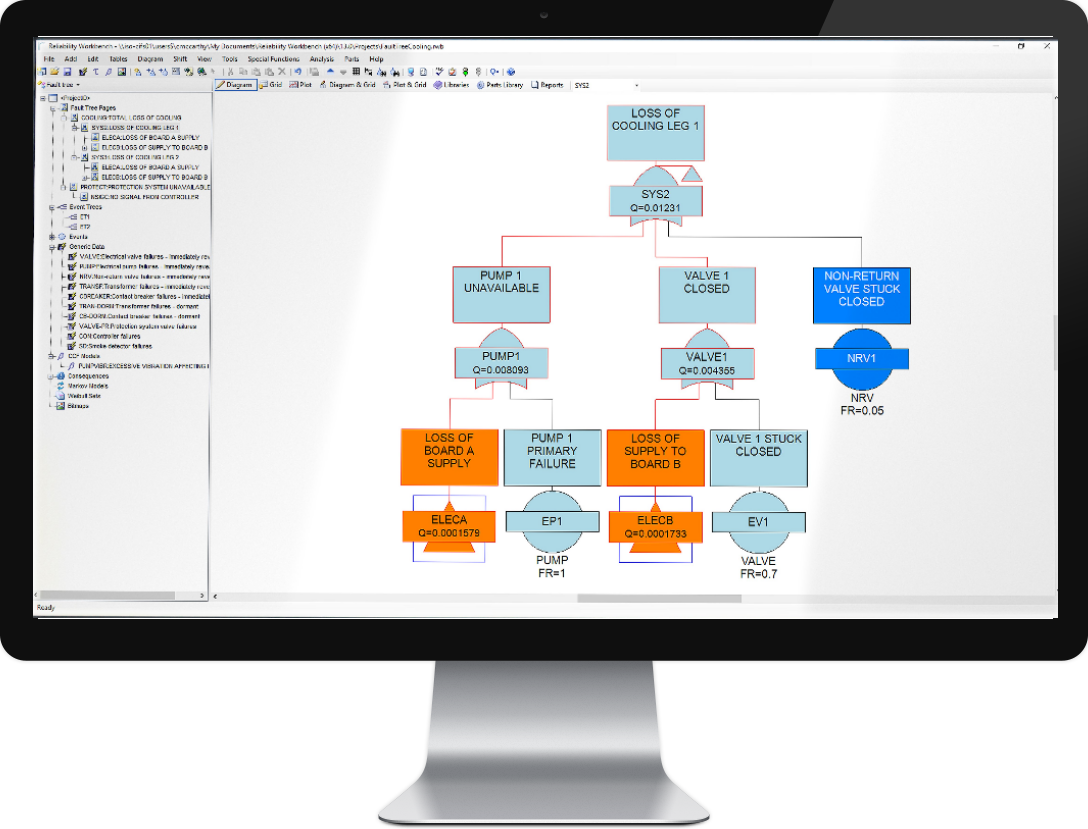
Explore Reliability Workbench FaultTree+ for complex analyses and established engineering workflows on company-controlled infrastructure.
- Build and analyse large, complex fault trees with minimal cut set generation and reporting.
- Keep project files on company-controlled computers or servers.
- Schedule upgrades around your validation and project requirements.
- Access complementary Workbench methods through the appropriate licensed modules.
Cloud and desktop: compare the differences.
Use this comparison to discuss the right deployment with your engineering and IT teams. It compares how you work with each solution; it is not a promise that every analysis feature or module is identical.
| Your priority | Desktop: Reliability Workbench FaultTree+ | Cloud: PeakAvenue eQMS FaultTree+ |
|---|---|---|
| Access | Work from an installed application within your organisation’s environment. | Use a supported browser without installing the desktop analysis application. |
| Project data | Keep project files on company-controlled computers or servers. | Store projects centrally in the hosted platform, accessible to authorised users. |
| Connectivity | Less dependence on internet connectivity. Access to a licence server may still be required. | An internet connection is required to access the hosted application. |
| IT requirements | Fits organisations that require local deployment or restrict externally hosted project data. | Reduces the need to deploy and maintain the analysis application on individual computers. |
| Updates | Your organisation decides when to install new versions and validate changes. | The provider manages application updates, reducing local upgrade work. |
| Teamwork | Use shared infrastructure and additional enterprise capabilities where available and licensed. | Central project access can make distributed teamwork and model review easier. |
| Backups and recovery | Your IT team controls project backups and the local deployment. | The provider manages hosting. Confirm backup and recovery arrangements for your service. |
| Working environment | Fits established engineering workflows and local tools within Reliability Workbench. | Access work from different supported devices and locations within the PeakAvenue eQMS platform. |
Which route best fits your requirements?
Start with cloud if…
- Your engineers need access across offices or while working remotely.
- You want browser-based access with less desktop application maintenance.
- A centrally hosted project environment fits your organisation’s data requirements.
Start with desktop if…
- Your project data must remain on company-controlled infrastructure.
- Your organisation needs control over software installation and validation schedules.
- You use established Reliability Workbench workflows or need specific complementary modules.
Have a specific gate type, analysis method, reporting requirement or integration in mind? Ask us to demonstrate that workflow in the solution you are considering.
Questions to settle before you choose.
Can our project data stay within our organisation?
Desktop FaultTree+ allows you to keep project files on company-controlled computers or servers. Cloud FaultTree+ uses a hosted platform. Discuss your data location, access and security requirements with us before choosing a deployment.
Does desktop mean we cannot collaborate?
No. Desktop collaboration can use shared infrastructure and additional enterprise capabilities. Cloud offers central access through the hosted environment. The best fit depends on your team’s workflow and the capabilities included in your configuration.
Do users need to install software?
Reliability Workbench FaultTree+ is an installed desktop application. Cloud FaultTree+ is accessed through a supported browser without installing the desktop analysis application. We can help you confirm the current browser, installation and licensing requirements.
How do updates and backups differ?
With desktop deployment, your organisation manages installation schedules and project backups. For cloud, the provider manages application updates and hosting. Confirm service-specific backup, recovery and availability arrangements as part of your evaluation.
Can we move our existing desktop models to the cloud?
Talk to us about your current models, software version and analysis requirements. We can review the available transfer options and any limitations before you plan a move. Do not assume every model or workflow transfers unchanged.
Are all analysis features and Workbench modules the same?
Compare the exact modelling, analysis and reporting functions your project needs. Desktop FaultTree+ operates within Reliability Workbench, with complementary methods depending on the modules licensed. Cloud FaultTree+ belongs to the PeakAvenue eQMS platform; ask us to demonstrate the functions and platform connections available for your proposed configuration.
Take the next step.
See the product that matches your way of working, or talk to our team about your models, deployment needs and evaluation options.